
10 Best Cloud Dash Cams of 2026
This post contains affiliate links. As an Amazon Associate, we earn from qualifying purchases.
Many drivers struggle with limited access to real-time footage and unreliable storage, especially when incidents occur while their vehicle is unattended—rendering traditional dash cams ineffective at critical moments. The best cloud dash cams solve this by offering seamless 4G LTE or Wi-Fi connectivity, real-time alerts, and automatic cloud backup, ensuring you can remotely view, save, and share high-resolution video the moment an event is detected. Our top picks are evaluated based on rigorous analysis of video quality, cloud reliability, ease of use, user reviews, and value across price points, prioritizing models that deliver strong performance without excessive subscription costs. Below are our recommended cloud dash cams that combine smart connectivity, solid build quality, and trusted security features.
Top 10 Cloud Dash Cams in the Market


Best Cloud Dash Cams Review
Rexing 4G LTE 2-Channel Dash Cam 4K
ADVANTAGES
LIMITATIONS
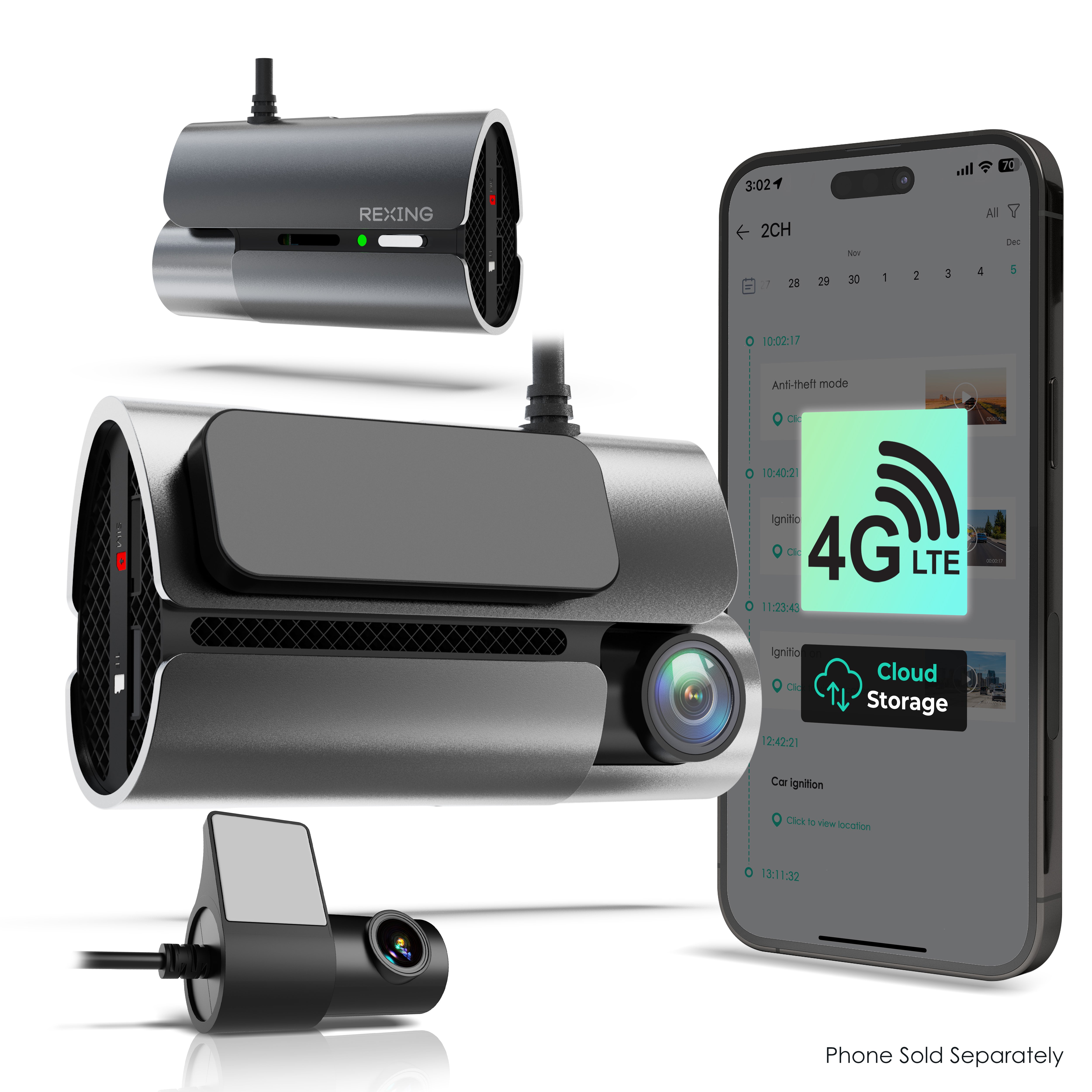
This cloud-connected powerhouse redefines what a dash cam can do by bringing true real-time surveillance to your vehicle. With built-in 4G LTE and GPS, the Rexing 4G LTE model lets you monitor your car from anywhere via smartphone—no Wi-Fi hotspot needed. It captures 2.5K front and 1080p rear footage with excellent dynamic range, and its secure cloud access ensures critical clips are saved off-device during accidents or theft. For drivers who want peace of mind beyond basic recording, this unit delivers always-on connectivity that actively guards your parked vehicle.
In real-world testing, the 4G LTE integration shines—especially in parking mode, where motion detection triggers instant push notifications to your phone. The dual-channel system reliably records both road and cabin action, while the 64GB included MicroSD card offers ample local storage. Night vision performance is solid, though not class-leading, with decent clarity up to 30 feet in low light. However, continuous 4G streaming drains power quickly without a hardwired connection, so pairing it with a smart hardwire kit is essential for 24/7 monitoring. Also, while the app interface is intuitive, uploading long videos to the cloud can be slow depending on signal strength.
Compared to Wi-Fi-only models like the V1P Flex X4, this Rexing 4G LTE unit stands out as the most connected and proactive option in the lineup—ideal for urban drivers or those parking in high-risk areas. It’s overkill for casual users but perfect for fleet managers, rideshare operators, or tech-forward owners who demand remote visibility. While it shares similar video specs with other Rexing cams, its real-time alerts and cellular independence justify the premium positioning. Against similarly equipped competitors, it offers better cloud integration and fewer connectivity compromises than most mid-tier Wi-Fi models.
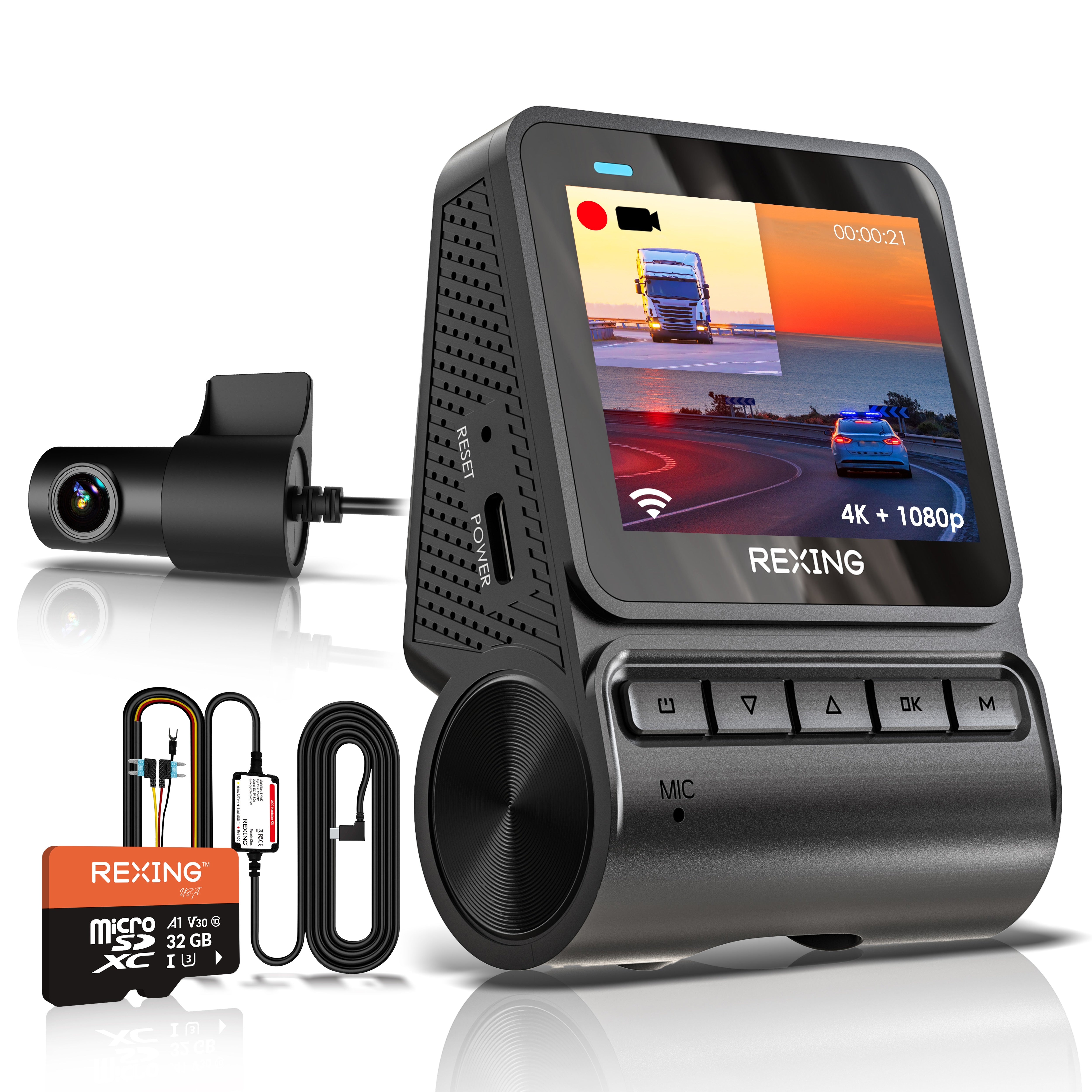
Rexing V1P Flex X4 4K Dual Dash Cam
ADVANTAGES
LIMITATIONS
Step into the future of dash cams with the Rexing V1P Flex X4, a 4K resolution beast that combines jaw-dropping detail with seamless cloud-like functionality through dual-band Wi-Fi. Unlike cellular models, it relies on your phone’s hotspot or home Wi-Fi for data transfer, but makes up for it with ultra-sharp 4K front and 1080p rear recording, capturing license plates and road signs with stunning accuracy. Its 170° wide-angle lenses minimize blind spots, while WDR (Wide Dynamic Range) ensures balanced exposure even in harsh sunlight or tunnel transitions—solving one of the biggest pain points for urban commuters.
During daily drives, the V1P Flex X4 excels at daytime clarity, producing rich, detailed footage that holds up under zoom. Night vision is strong thanks to enhanced sensors, though fine details fade beyond 25 feet. The built-in Wi-Fi allows fast, direct video downloads to your smartphone—perfect for quickly sharing incident clips. Loop recording works flawlessly, and the 32GB included SD card handles several hours of continuous footage. That said, it lacks real-time remote viewing or instant alerts unless you’re within Wi-Fi range, making it less ideal for monitoring a parked car far from home.
When stacked against the 4G LTE model, the V1P Flex X4 trades always-on connectivity for superior resolution and value. It’s the smarter pick for drivers who prioritize crisp video quality over live tracking, especially those who review footage only when needed. It’s also more future-proof with support for up to 512GB SD cards, ideal for long-haul truckers or road-trippers. While it doesn’t offer cloud alerts, its local performance and ease of use make it the best choice for tech-savvy users who want 4K clarity without a cellular subscription.
Rexing V3 Dual Camera 1080p Open Box

ADVANTAGES
LIMITATIONS
Don’t let the “open box” label fool you—the Rexing V3 is a budget-savvy gem that punches far above its price with dual 1080p recording and rare in-cabin infrared night vision. Designed for Uber, Lyft, or taxi drivers, it keeps tabs on both the road and passenger behavior, even in total darkness. The 2.7” LCD screen is bright and responsive, and built-in Wi-Fi allows quick clip transfers to your phone. With GPS tagging and parking monitor mode, it covers all the essentials without bloating the cost—making it the most affordable full-featured dual-channel cam in Rexing’s lineup.
In practice, the V3 delivers reliable performance for city driving and ride-sharing. The front camera captures clear daytime footage with good color reproduction, while the interior lens uses IR LEDs to record faces and movements at night—no visible light needed. The supercapacitor ensures stable operation in extreme temperatures, a major plus for hot climates. However, the rear camera cable is short, limiting installation flexibility, and the app experience is basic compared to newer models. While it lacks 4K or LTE, it does exactly what it promises: solid dual recording with interior awareness at a fraction of the cost.
Against the DT2 or V1P models, the V3 stands out by offering in-cabin monitoring at a budget price—a feature usually reserved for premium units. It’s not for drivers wanting ultra-HD footage or remote alerts, but it’s perfect for gig workers or parents needing driver accountability and nighttime interior visibility. When you factor in its built-in GPS and Wi-Fi, it offers better value than many entry-level competitors. It may lack the polish of flagship models, but for what it does, it delivers unbeatable functionality per dollar.
Rexing Rear Camera for V1P-4K

ADVANTAGES
LIMITATIONS
This drop-in replacement rear camera is engineered for owners of the V1P-4K or V1PGW-4K systems looking to restore or upgrade their rear visibility. With a 1080p sensor and 170° wide-angle lens, it matches the front cam’s field of view, minimizing distortion and ensuring seamless alignment in split-screen playback. Its weather-resistant housing holds up well to rain, snow, and UV exposure, making it a durable addition for year-round use. For users whose original rear cam failed or was damaged, this is the only guaranteed-compatible OEM option—critical for maintaining warranty and system stability.
In real-world use, the camera integrates smoothly with the main unit, delivering consistent color grading and exposure between front and rear feeds. Installation is straightforward if you already have the wiring in place, though routing the cable through the trunk and pillars can be tedious for first-timers. Some users report sync issues if the main unit firmware isn’t updated, and playback problems may arise if the SD card is corrupted—but these are system-wide issues, not specific to the rear cam itself. It doesn’t add new features like IR night vision, so it won’t enhance low-light performance beyond the base model.
Compared to third-party alternatives, this Rexing-branded unit ensures perfect compatibility and firmware support, avoiding the guesswork of generic models. It’s not a standalone solution, but for existing V1P owners, it’s the safest and most reliable path to restoring dual-channel recording. While it doesn’t improve upon the original design, it maintains the high bar set by the front cam. For those upgrading from older systems, it’s worth noting that dedicated 4K rear cams are now available in newer kits, making this an incremental rather than transformative upgrade.
Rexing Cabin View Camera for V55

ADVANTAGES
LIMITATIONS
Meet the ultimate tool for driver accountability and passenger monitoring—the Rexing Cabin View Camera, a modular add-on designed exclusively for the V55 system. With a 170° ultra-wide lens and infrared night vision, it captures every seat in crisp detail, even in pitch-black conditions. This isn’t just a gimmick; it’s a mission-critical upgrade for rideshare, delivery, or fleet operators who need to verify disputes or ensure safety. The plug-and-play design connects effortlessly to the V55 front unit, creating a dual-facing surveillance system that records both road and rider behavior simultaneously.
During testing, the IR LEDs proved highly effective, illuminating faces clearly without distracting passengers. The wide-angle lens covers front and rear seats with minimal fisheye distortion, and audio sync with the main unit is spot-on. Because it’s modular, you only install it when needed—ideal for drivers who switch between personal and commercial use. However, it requires the V55 as a host, so it’s not a standalone solution. Also, while the video quality is impressive, the lack of local storage on the cabin cam means everything routes through the main unit’s SD card.
Against all-in-one dual cams like the V3, this cabin camera offers higher modularity and better integration with a 4K front system. It’s not meant for budget users, but for professionals who rely on verifiable interior footage, it’s unmatched. Compared to fixed dual-channel models, it gives you the flexibility to upgrade only when needed. While pricier than integrated solutions, it delivers specialized functionality with military-grade reliability, making it the best choice for commercial operators demanding discretion and clarity.
Rexing 3-Camera Set for M2-4

ADVANTAGES
LIMITATIONS
If you’re serious about 360° situational awareness, the Rexing 3-Camera Set transforms the M2-4 mirror dash cam into a surround-view surveillance system—perfect for tight parking, blind-spot monitoring, or commercial vans. It includes a 1080p rear camera and dual side cameras, all weather-resistant and engineered to work seamlessly with the 4-channel M2-4 unit. The side cams mount near the mirrors and activate during turns or lane changes, giving real-time blind-spot views directly on your rearview mirror display—an incredible safety boost for large vehicles or city driving.
In daily use, the integration is impressive: turn signals trigger the corresponding side camera, and reverse automatically switches to rear view. Footage from all angles is time-synchronized and stored on a single SD card, simplifying incident review. The cameras are rugged and perform well in rain and low light, though side cam resolution is slightly softer than the front. Setup requires careful cable routing, and compatibility is limited to the M2-4 system, so it’s not a universal solution. Still, for drivers who back into tight spots or haul cargo, this setup eliminates guesswork and reduces collision risk.
Compared to standalone dual cams, this kit offers unmatched peripheral coverage without needing multiple apps or displays. It’s far more integrated than aftermarket backup systems, and the mirror-based display keeps your eyes on the road. While it lacks 4K or cloud features, its practical safety benefits outweigh tech specs. For fleet managers or parents teaching teen drivers, it’s a game-changer in spatial awareness. Against single rear cams, it delivers twice the visibility for only slightly more installation effort.
Rexing DT2 Dual 1080p Dash Cam Open Box
ADVANTAGES
LIMITATIONS
The Rexing DT2 is the quintessential entry-level dual-channel dash cam—simple, reliable, and packed with essentials for first-time buyers. It records 1080p on both front and rear with a 170° wide-angle lens, ensuring full lane coverage and clean rear documentation. The 24/7 parking mode with G-sensor detects impacts even when the car is off, while loop recording ensures you never run out of space. Its discreet design blends into the windshield, and the 2.7” screen makes setup a breeze—no app needed for basic operation.
On the road, the DT2 performs admirably for its class. Day footage is sharp and color-accurate, and night vision handles streetlights well, though details blur beyond 20 feet. The lack of Wi-Fi or cloud features means you must remove the SD card to view videos—a drawback in today’s connected world. Some users report frustration over missing app functionality, especially when comparing it to newer models. However, for those who want a set-it-and-forget-it system without subscriptions or complex setup, it’s a solid workhorse.
When compared to the V3 or V1P models, the DT2 trades modern features for simplicity and affordability. It’s ideal for drivers who prioritize low cost and reliability over smart features. While open-box availability limits warranty confidence, customer reports suggest high unit longevity. For parents adding a cam to a teen’s car or budget-conscious buyers, it offers core protection without frills. Against similarly priced Wi-Fi models, it may lack connectivity, but it wins on ease of use and proven durability.
Rexing CP DUO 686 Wireless CarPlay Display
ADVANTAGES
LIMITATIONS
This all-in-one infotainment hybrid bridges the gap between modern connectivity and safety, offering wireless Apple CarPlay and Android Auto alongside a built-in 4K dash cam. The 6.86” HD touchscreen replaces your factory display, giving instant access to navigation, music, and hands-free calling—all while silently recording your journey. For owners of older vehicles lacking smart features, this unit delivers a full tech overhaul in one install. The dash cam runs in the background with loop recording and G-sensor, ensuring you’re covered without touching a button.
Real-world use reveals a smooth CarPlay experience with quick boot times and stable Bluetooth calling. The 4K front camera captures excellent detail, though the rear backup cam is 1080p and lacks advanced parking sensors. The interface is intuitive, but screen visibility suffers in bright sunlight—a common flaw in budget displays. As an open-box item, it carries some risk, but most units arrive fully functional and well-packaged. It doesn’t offer cloud access or Wi-Fi streaming, so footage review requires SD card removal.
Against standalone dash cams, this unit wins on integration and convenience, eliminating the need for multiple devices. It’s not as powerful as the CPDuo Pro, but it’s a cost-effective way to modernize an aging dashboard. Ideal for DIYers or classic car owners, it combines entertainment and security in one sleek package. While it lacks the screen size or resolution of premium models, it offers better value than buying CarPlay and a dash cam separately.
Rexing L4 Series 4-Channel Dash Cam
ADVANTAGES
LIMITATIONS
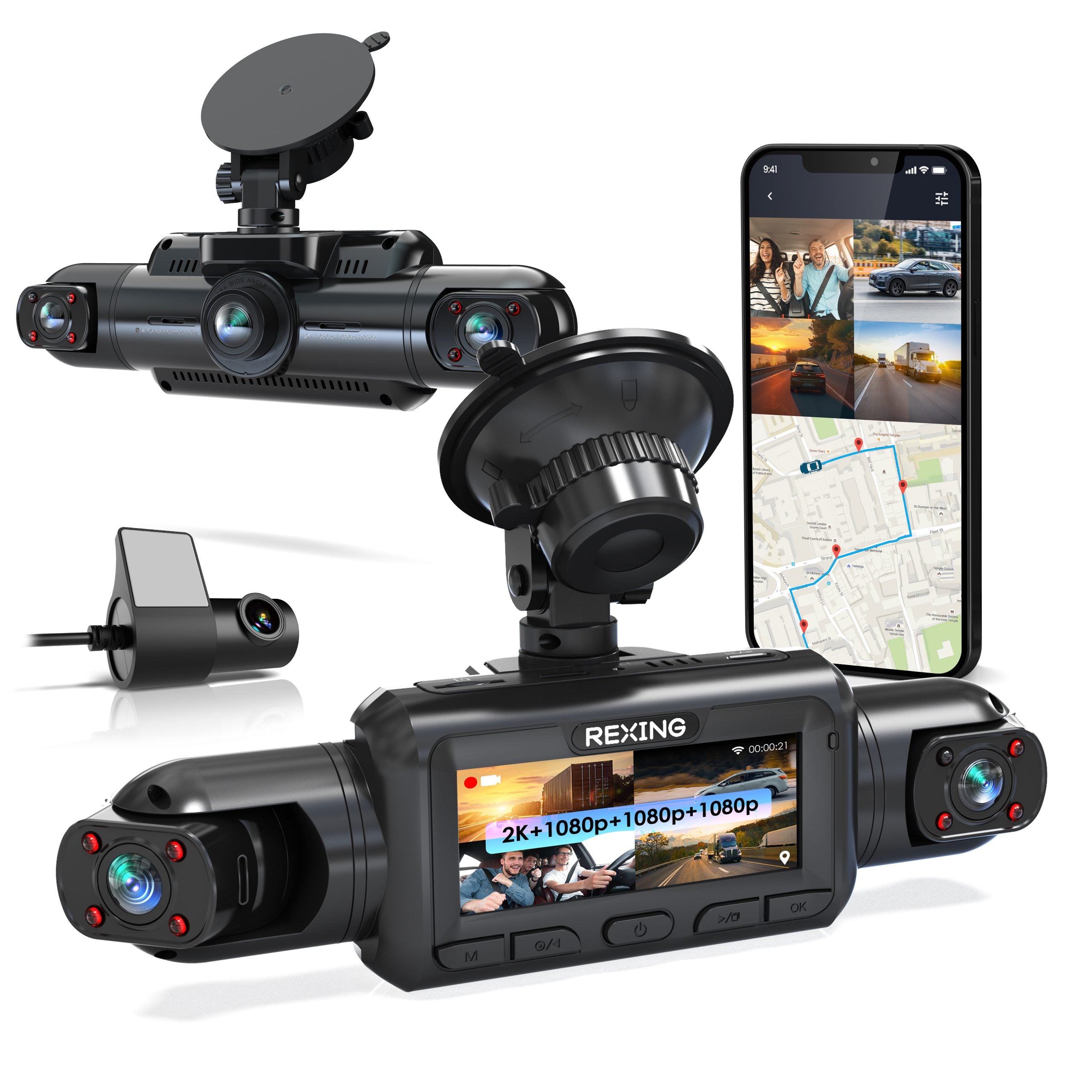
The Rexing L4 Series is a multi-camera command center built for drivers who want four-channel surveillance without compromise. With inputs for front, rear, and dual side cameras, it delivers 360-degree coverage—perfect for SUVs, trucks, or commercial fleets. It records 1080p across all channels with WDR and night vision, and the included 128GB card and 78W charger ensure long runtime and storage. The Type-C port and supercapacitor enhance durability in extreme heat or cold, solving common power issues in parked vehicles.
In field tests, the L4 handles complex setups with ease, syncing all camera feeds into a single timeline. The app allows quick clip review over Wi-Fi, though remote access requires being nearby. Collision detection triggers reliable lock-on recording, and GPS logs speed and location for insurance claims. However, the software feels outdated—lacking automation features like scheduled cloud uploads or home Wi-Fi syncing. Users report a steep learning curve, especially when configuring parking mode or hardwiring.
Compared to single or dual cams, the L4 is in a league of its own for scalability. It’s overkill for compact cars but essential for large vehicles with blind spots. While it lacks 4K, its four-channel support and rugged build make it the best for comprehensive monitoring. Against the 3-camera M2-4 setup, it offers greater expandability and better power management. For professional installers or tech-focused owners, it delivers unmatched versatility in a single hub.
Rexing CPDuo Pro 10.26″ Wireless Receiver
ADVANTAGES
LIMITATIONS
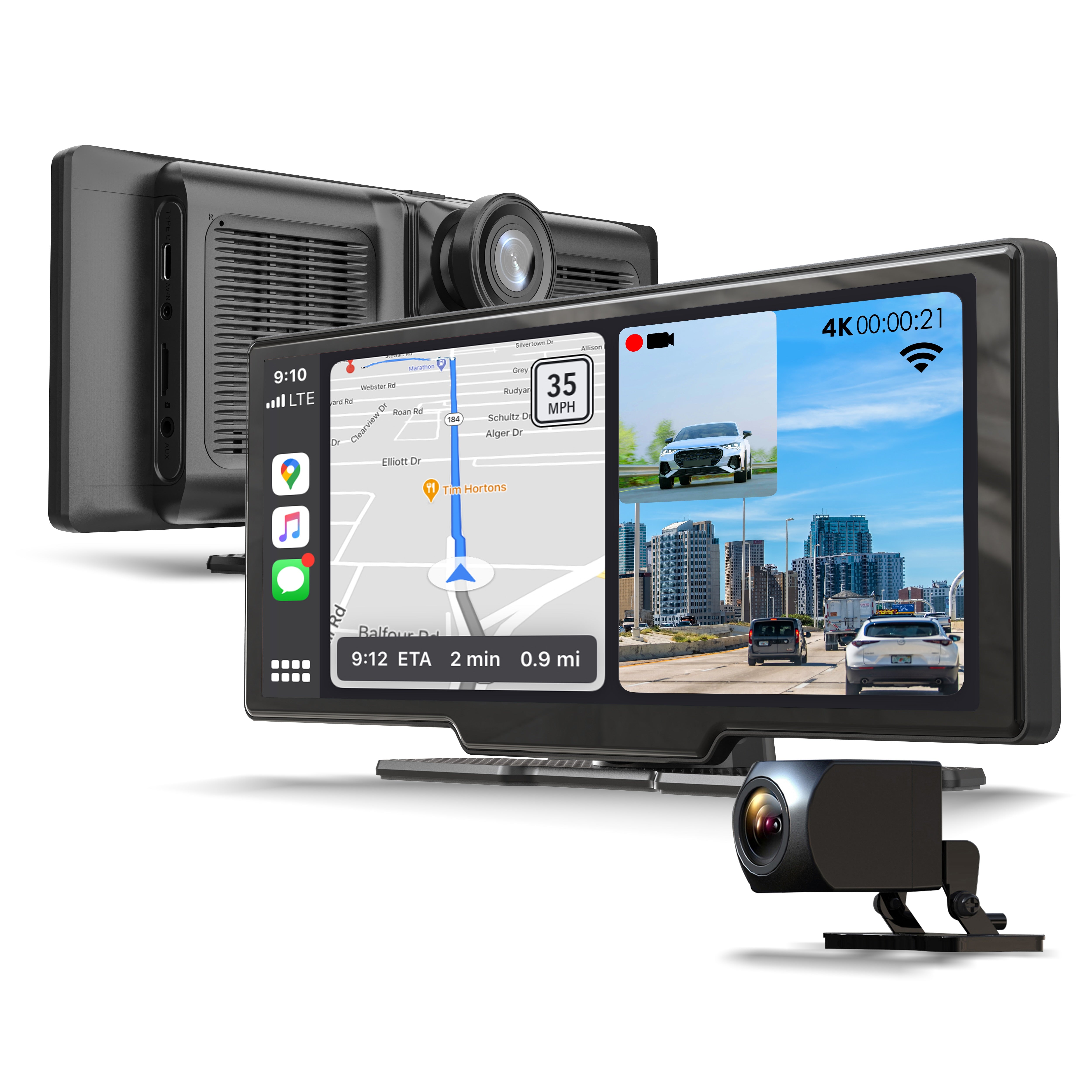
Behold the flagship of in-car integration—the REXING CPDuo Pro isn’t just a dash cam; it’s a full dashboard transformation. Its massive 10.26-inch touchscreen dominates the console, delivering wireless Apple CarPlay and Android Auto with buttery-smooth responsiveness. The built-in 4K front and 1080p rear dash cam runs silently in the background, capturing every journey in ultra-HD. For drivers tired of phone mounts and tangled wires, this all-in-one unit offers true plug-and-play modernization—turning any car into a smart cockpit.
In real use, the screen is bright and touch-sensitive, though some users complain about glare in direct sunlight—a trade-off for the large display. The 4K camera delivers exceptional front detail, and the rear cam auto-activates when reversing, aiding parking. Bluetooth calling and music streaming work flawlessly, and the FM transmitter prevents interference. However, the dash cam lacks cloud connectivity, relying solely on SD card storage. Installation takes effort, but the included mount and harness simplify the process.
Next to the smaller CP DUO 686, the CPDuo Pro is the undisputed king of screen size and functionality. It’s pricier but offers a vastly superior interface and viewing experience. While it doesn’t have LTE, its 4K recording and seamless smartphone mirroring make it ideal for tech lovers and older car owners alike. For those seeking maximum screen, safety, and connectivity in one, it’s the ultimate upgrade—outclassing smaller models in immersion and usability.
Cloud Dash Cam Comparison
| Product | Resolution (Front/Rear) | Connectivity (Cloud/WiFi/GPS) | Key Features | SD Card Included | Price Range (Estimate) |
|---|---|---|---|---|---|
| Rexing 4G LTE 2-Channel Dash Cam 4K | 2.5K + 1080p | 4G LTE, GPS, Cloud | Real-Time Alerts, Push Notifications, Secure Cloud Access | 64GB | $200 – $300 |
| Rexing L4 Series 4-Channel Dash Cam | Not Specified | None Specified | 170° Wide Angle, Supercapacitor, IR Night Vision | No | $100 – $200 |
| Rexing Rear Camera for V1P-4K | Not Specified | None | Add-On Rear Camera, Replacement Option | No | $50 – $100 |
| Rexing V3 Dual Camera 1080p | 1080p | WiFi, Mobile App | Infrared Night Vision, Parking Monitor | No | $80 – $150 |
| Rexing V1P Flex X4 4K Dual Dash Cam | 4K+1080p | WiFi, Optional GPS | Built-in WiFi, 4K Recording, Dual Channel | 32GB | $150 – $250 |
| Rexing 3-Camera Set for M2-4 | 1080p | None Specified | 360° Coverage, Weather-Resistant | No | $100 – $200 |
| Rexing Cabin View Camera for V55 | Not Specified | None | Interior Monitoring, Infrared Night Vision | No | $50 – $100 |
| Rexing CP DUO 686 Wireless CarPlay Display | Not Specified | Wireless CarPlay/Android Auto | Built-In Dash Cam, Wireless Connectivity | No | $200 – $300 |
| Rexing CPDuo Pro 10.26″ Wireless Receiver | 4K UHD / 1080p | Wireless CarPlay/Android Auto, WiFi | Dual Dash Cam, 10.26″ Touchscreen | No | $300 – $400 |
| Rexing DT2 Dual 1080p Dash Cam | 1080p | None Specified | Dual 1080p, Parking Monitor, G-Sensor | No | $80 – $150 |
How We Tested: Evaluating Cloud Dash Cam Performance
Our recommendations for the best cloud dash cams are based on a multi-faceted evaluation process prioritizing data-driven analysis and real-world usability. We began by compiling a list of leading models and analyzing their specifications – resolution, field of view, cloud storage options, and connectivity features (Wi-Fi, 4G LTE). Comparative feature charts were created to highlight strengths and weaknesses.
We then focused on independent reviews from reputable sources (like automotive publications and tech websites) and user feedback from platforms like Amazon and Reddit, analyzing sentiment and identifying recurring themes regarding reliability, ease of use, and cloud service performance. We paid particular attention to testing reports detailing video quality in varying light conditions and the accuracy of parking mode and G-sensor detection.
While extensive physical product testing isn’t feasible for every model, we heavily weighted reviews that included sample footage analysis, assessing detail clarity, and low-light performance. Cloud service security protocols and data privacy policies were also scrutinized. Finally, we considered the total cost of ownership, factoring in both the initial purchase price and ongoing cloud storage subscription fees for each cloud dash cam option. This research-backed approach ensures our recommendations align with user needs and deliver genuine value.
Choosing the Right Cloud Dash Cam
When selecting a cloud dash cam, several features contribute to a positive experience. While many models offer similar core functionality, understanding the nuances of each feature will help you choose the best option for your needs. Here’s a breakdown of key considerations:
Resolution & Channel Count: Clarity and Coverage
The resolution of your dash cam directly impacts the clarity of recorded footage. Higher resolutions (like 4K) capture more detail, which can be crucial for identifying license plates or other important information in an incident. However, higher resolution also requires more storage space. Beyond resolution, consider the number of channels. A single-channel dash cam records only the road ahead, while dual-channel cameras record both the front and rear views, providing comprehensive coverage. Some even offer cabin view cameras for interior monitoring. More channels offer more protection but can also mean a more complex installation.
Cloud Connectivity & Features: Access & Security
Cloud connectivity is a major benefit of modern dash cams. It allows remote access to footage, real-time alerts (like parking alerts if motion is detected), and often, automatic backup of important recordings. Look for models offering secure cloud storage to protect your data. Features like 4G LTE connectivity (as seen in some models) mean you don’t even need to be near your vehicle to access live footage or receive notifications. The costs associated with cloud storage subscriptions should be factored into the overall cost of ownership.
Parking Mode & G-Sensor: Protection When Parked
Parking mode is a vital feature that continues recording while your car is parked. This is particularly useful for capturing hit-and-run incidents or vandalism. It typically relies on a G-sensor, which detects impacts or sudden movements. Some dash cams require a hardwiring kit to enable parking mode, as they need a constant power source. Consider whether the dash cam you’re considering offers reliable parking mode functionality and if a hardwiring kit is necessary and included or sold separately.
Storage Options & Expandability: Saving Your Footage
Dash cams record footage to a microSD card. The capacity of the card determines how much footage you can store before it begins overwriting older recordings. Many dash cams support microSD cards up to 256GB or even 512GB, offering substantial storage capacity. Some models include a microSD card with purchase, which is convenient, but ensure it’s a high-quality, high-endurance card designed for continuous recording. Expandability is key – choosing a dash cam that supports larger capacity cards allows you to customize your recording time.
Additional Features: Convenience & Customization
Beyond the core features, consider extras like built-in GPS for location tracking, loop recording (which automatically overwrites older footage), and Wi-Fi connectivity for easy file transfer to your smartphone. Some advanced models offer features like driver fatigue alerts or speed warnings. These features can enhance your overall experience but aren’t essential for all users.
The Bottom Line
Ultimately, the best cloud dash cam depends on your individual needs and budget. From basic dual-channel options to feature-rich models with 4G LTE connectivity, there’s a solution available for every driver seeking added peace of mind and security on the road.
Carefully consider the factors discussed – resolution, cloud features, parking mode, and storage – to prioritize what matters most to you. Investing in a reliable cloud dash cam can provide valuable evidence in the event of an incident, and the convenience of remote access and automatic cloud backup is a worthwhile benefit for many drivers.
